Homelab
I keep a collection of Linux machines at home for storage, batch processing, and machine learning work. Everything is x86_64, mostly small-form-factor hardware. It’s quiet, low power draw, and cheap enough to leave running around the clock.
What I Use It For
Most of what ends up on this blog gets built here first. Renting a GPU by the hour is fine for a one-off, but it’s a bad fit for the way I actually work, which includes long, interrupted sessions where an idea sits half-finished for a week. Owning the hardware makes that free.
Local LLM inference. Running models on hardware I own means no per-token cost and no data leaving the house, which matters when the input is my own notes or photos. That was the whole premise behind wiring Ollama into Airflow DAGs, I wanted full end-to-end testing of a pipeline without reaching out to a third-party provider.
Fine-tuning. The GPU box is what makes experiments like fine-tuning Gemma 3 with Unsloth practical to iterate on instead of spinning up cloud instances.
Vector search and embeddings. Somewhere to build and re-build indexes at a realistic size while working through things like Ray Data integrations for vector databases.
Distributed compute prototyping. Enough cores and memory across the three machines to run a real multi-node Ray cluster, which catches the class of bug that never shows up on a laptop.
Storage. The bulk disks hold photography work and the datasets that would be tedious to re-download, including the raw material behind plotting GPS coordinates out of photo metadata.
Network
Everything resides on a flat 192.168.1.0/24 subnet. Working outward from the machines:
The three hosts are wired into a 2.5 GbE switch, which keeps transfers between them off the wireless entirely.
The switch uplinks to a Netgear Nighthawk WiFi 7 mesh extender, which is what gets the upstairs machines back to the rest of the house.
The extender routes down to the Nighthawk router downstairs.
The router is plugged into a Spectrum cable modem for the WAN connection.
My Homelab, Merch and Books
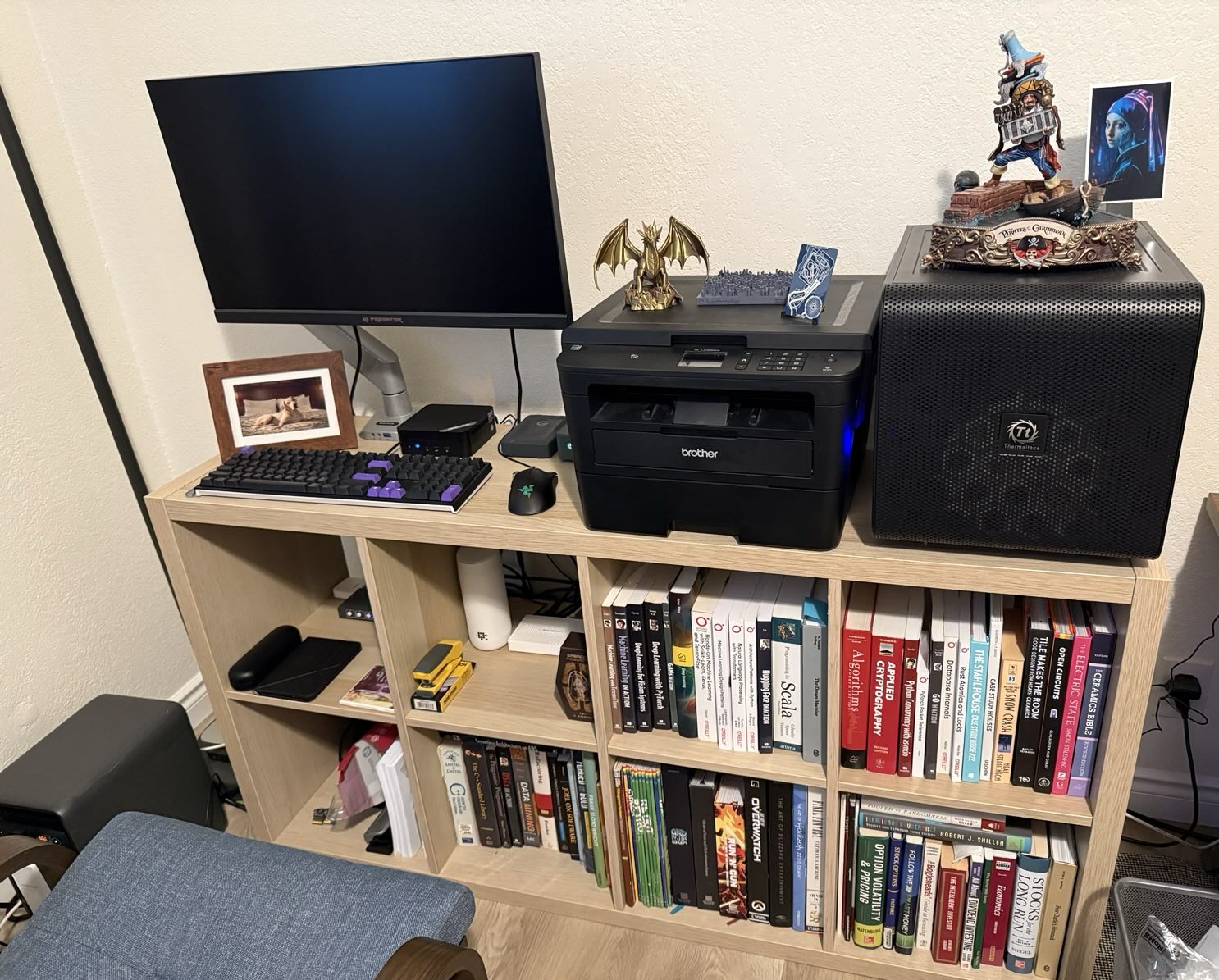
Machines
| nas | processing | ml1 | |
|---|---|---|---|
| Hardware | GMKtec NucBox G3 Plus | Minisforum UM560 | Custom PC |
| OS | Ubuntu 25.04 (Plucky Puffin) | Pop!_OS 24.04 LTS | Pop!_OS 24.04 LTS |
| CPU | Intel N150 (4 cores) @ 3.60 GHz | AMD Ryzen 5 5625U (12 threads) @ 4.39 GHz | AMD Ryzen 5 4500 (12 threads) @ 4.21 GHz |
| GPU | Intel Graphics @ 1.00 GHz (integrated) | AMD Barcelo (integrated) | NVIDIA GeForce RTX 5060 Ti 16GB |
| Memory | 14.87 GiB + 4.00 GiB swap | 62.22 GiB + 20.00 GiB swap | 125.59 GiB + 20.00 GiB swap |
| Storage | 232.64 GiB root (ext4) 3.58 TiB /mnt/data (ext4)4.55 TiB /media/nas (fuseblk) | 1.78 TiB root (ext4) | 906.96 GiB root (ext4) |
| Kernel | 6.14.0-37-generic | 7.0.11-76070011-generic | 6.18.7-76061807-generic |
| Desktop | GNOME 48 / Mutter (Wayland) | COSMIC 1.0.0 / cosmic-comp (Wayland) | COSMIC 1.0.0 / cosmic-comp (Wayland) |
| Network | enp3s0192.168.1.36 | eno1192.168.1.38 | enp8s0192.168.1.35 |
Power
The whole shelf runs off an Anker S2000 rather than straight off the wall, which does two jobs at once:
UPS. Everything is always-on, so a brief outage or a flicker would otherwise mean an unclean shutdown on machines that are often mid-write. The battery sits inline and rides through it.
Time-shifting. The unit charges when electricity is cheap and runs the lab off battery when it isn’t, so a rack of always-on hardware stops tracking peak time-of-use rates.
The second one is the reason it’s worth the hardware. A homelab’s cost is mostly the electricity to leave it running, and shifting that draw off-peak takes a meaningful bite out of the bill without turning anything off.